
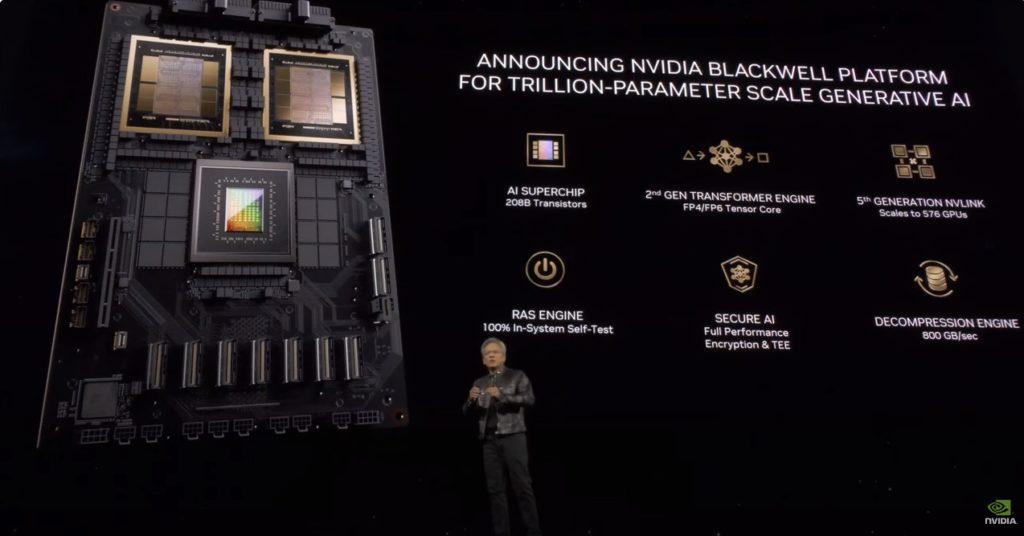
After NVIDIA CEO Jensen Huang unveiled the Blackwell architecture at GTC 2024, much of the early attention focused on the largest systems in the portfolio. Since then, NVIDIA’s roadmap has continued to push further toward rack-scale AI infrastructure, with platforms such as B200, NVL72 and more recently Rubin NVL8 shaping the conversation around hyperscale AI workloads.
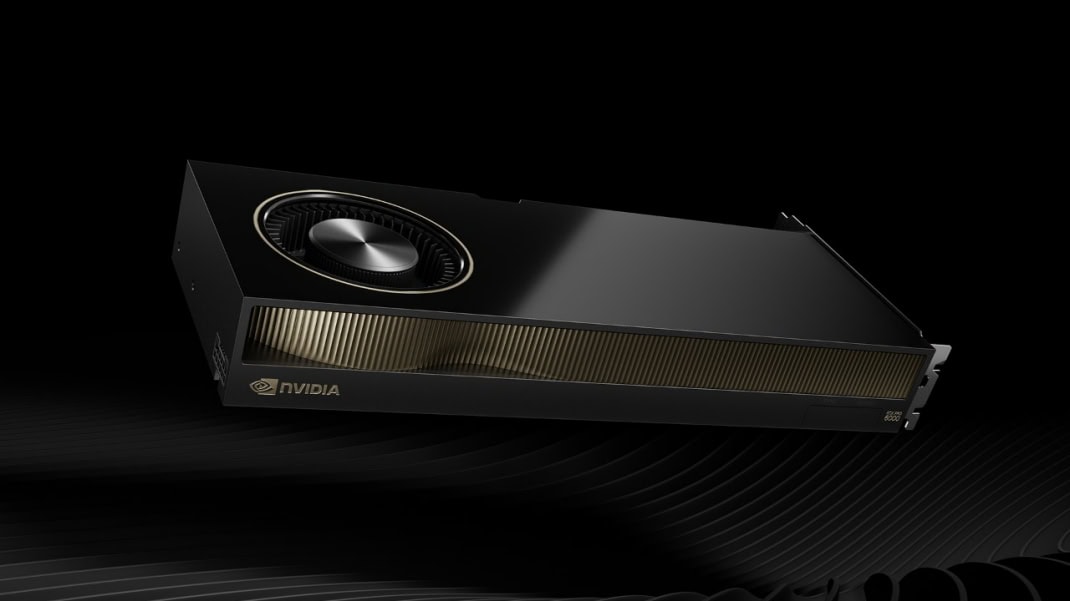
But not every AI deployment looks like that. Alongside those rack-scale systems, NVIDIA also introduced the RTX PRO 6000 Blackwell Server Edition. On paper, it sits in a very different part of the portfolio. It’s a PCIe GPU, rather than an NVLink-connected accelerator, and it doesn’t appear in the kind of multi-node systems often associated with large model training.
The RTX PRO 6000 isn’t trying to replicate the architecture of HGX clusters or replace GPUs like H100 or H200. Instead, it represents a different design philosophy: high-performance single-GPU capability delivered in a far more flexible and accessible platform.
To understand the RTX PRO 6000, it helps to look at NVIDIA’s broader GPU landscape.
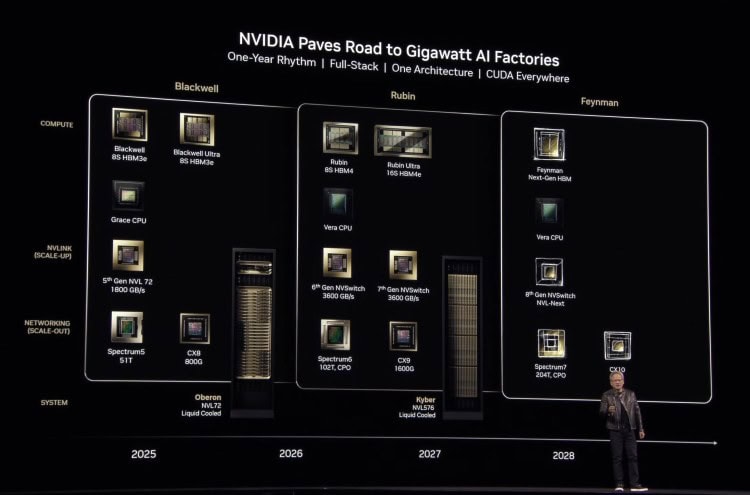
At the top end are NVIDIA’s large-scale AI platforms, including B200, B300 and NVL72 systems, where GPUs are tightly connected through NVLink fabrics. In these systems, multiple GPUs can behave almost like a single shared resource, with very high-bandwidth communication between them.
This architecture is essential for certain workloads, particularly very large model training jobs that require massive memory pools and tightly coupled compute.
But in practice, a significant number of applications run efficiently across independent GPUs, with each GPU processing its own portion of the workload. Instead of relying on a shared NVLink fabric, jobs are distributed across multiple devices using frameworks that scale horizontally.
In those scenarios, the additional complexity and cost of tightly coupled GPU architectures may not provide a meaningful advantage.
That’s where GPUs like the RTX PRO 6000 come in. Rather than being designed for massive NVLink fabrics, the RTX PRO 6000 focuses on strong performance at the individual GPU level, delivered through a PCIe platform that can be deployed far more flexibly.
One of the first things organisations notice when comparing GPU platforms is the cost difference.
Systems built around platforms such as B200, B300 and Rubin NVL8 involve not just the accelerators themselves, but also the infrastructure required to support NVLink-connected fabrics and large-scale cluster deployments. That architecture is incredibly powerful, but it is also designed for workloads operating at significant scale.
For many organisations beginning their AI journey, the requirements look very different. They may need:
In these situations, the ability to deploy high-performance GPUs at a much lower entry cost can make a substantial difference.
With RTX PRO 6000 systems typically costing a fraction of large NVLink-based deployments, organisations can often deploy more GPUs within the same budget, making experimentation and iteration far easier.
Instead of building a single large cluster, teams can start with smaller, more flexible environments and scale their infrastructure as their workloads mature.
A useful way to understand the RTX PRO 6000 is to compare it with the architecture of HGX-based systems.
Many of the differences between RTX-class GPUs and large NVLink-based platforms such as B200 and NVL72 come down to how they are designed to scale.
HGX platforms are designed for large, tightly coupled GPU clusters, where multiple accelerators work together on a single training workload and communicate through NVLink at extremely high bandwidth. RTX PRO 6000 systems instead have strong standalone GPU performance, making them well suited to workloads that scale across independent GPUs rather than requiring a single unified memory pool.
A simplified comparison illustrates the difference in design priorities:
| Feature | B200 / B300 / Rubin NVL8 Platforms | RTX PRO 6000 Blackwell |
| Deployment model | Large GPU clusters | Flexible PCIe systems |
| GPU interconnect | NVLink / NVSwitch | PCIe |
| Memory architecture | HBM for massive throughput | High-bandwidth GDDR |
| Typical scale | Hyperscale training | Development, inference, smaller clusters |
| Cost profile | Premium infrastructure | Significantly more accessible |
Hardware is only part of the picture. Modern AI infrastructure also depends heavily on the software environment surrounding the GPUs, and NVIDIA has increasingly focused on delivering a structured AI software stack alongside its hardware platforms.
NVIDIA AI Enterprise and AI Essentials are available across both PCIe GPUs and larger NVLink-based AI systems. The difference is commercial as much as technical.
With some PCIe platforms, including RTX PRO 6000 Blackwell Server Edition deployments, elements of the software stack are often included as part of the platform cost. On larger NVLink-based systems, the same enterprise software environment is typically licensed separately.
This environment can include tools such as:
For teams new to AI infrastructure, these tools provide a supported and consistent software baseline, reducing the complexity of building and maintaining AI environments from scratch.
More advanced teams may prefer to build their own software environments. But for many organisations entering the AI space, having access to a pre-integrated ecosystem significantly lowers the barrier to deployment.
There is also a commercial angle. Licensing equivalent enterprise software stacks on large data centre GPU platforms can become expensive. On RTX-class systems, the cost of accessing these tools can be far more manageable, making them a practical option for teams beginning to operationalise AI.
In real-world deployments, RTX-class GPUs appear in a wide variety of environments. Their flexibility makes them particularly useful for organisations that need strong GPU performance but do not require tightly coupled NVLink clusters.
Many teams deploy them as AI development platforms, allowing data science groups to experiment, prototype models and evaluate frameworks without waiting for time on shared HPC infrastructure. Others build smaller departmental GPU clusters that provide dedicated resources for model development, fine-tuning and inference workloads. Because these systems are easier to deploy and scale incrementally, they are often used for experimentation, robotics projects, edge AI development and early-stage production workloads.
A growing pattern is the use of RTX GPUs to centralise and virtualise GPU resources. NVIDIA recently highlighted this approach in game development environments using RTX PRO Servers powered by RTX PRO 6000 Blackwell Server Edition GPUs. Instead of relying on individual workstation hardware scattered across teams, studios can pool GPU resources in the data centre and deliver virtualised RTX workstations to artists, developers, AI researchers and QA teams.
This allows the same infrastructure to support multiple workflows across the development lifecycle. Interactive graphics work, AI-assisted content generation, coding environments and automated testing can all run on the same shared GPU platform. Using technologies such as NVIDIA vGPU and GPU partitioning, resources can be allocated dynamically across teams while maintaining performance isolation.
From an infrastructure perspective, RTX GPUs show up in a range of practical deployment models. In each case the goal is the same: provide high-performance GPU resources that teams can access easily, without immediately committing to hyperscale AI infrastructure.
The team at Vespertec are also exploring how RTX PRO 6000 behaves in alternative deployment models. One area we are currently experimenting with is GPU immersion cooling.
In theory, the power density and thermal characteristics of the RTX PRO 6000 should make it a strong candidate for this approach. It’s still early days, but we’re keen to see how the platform behaves in this environment. Watch this space!
If you’re comparing RTX-class GPUs with larger NVLink platforms such as B200, B300 or NVL72 systems, the most useful place to start is understanding how your workloads actually scale across GPUs. Different architectures suit different problems, and choosing the right platform early can make scaling far easier later.
We’re always happy to share what we’re seeing across real deployments. If you’d like to talk through your workloads or infrastructure plans, get in touch with the Vespertec team.